 Echolot
Socket.IO
Join a Socket.IO namespace with an auth payload, emit events with arguments and acknowledgements, and read the event log.
A Socket.IO request connects to a Socket.IO server, joins a namespace and stays connected: you emit events and see the server's events as they come. Echolot speaks Socket.IO 2, 3 and 4 over WebSocket.
Try it with Alpenglow
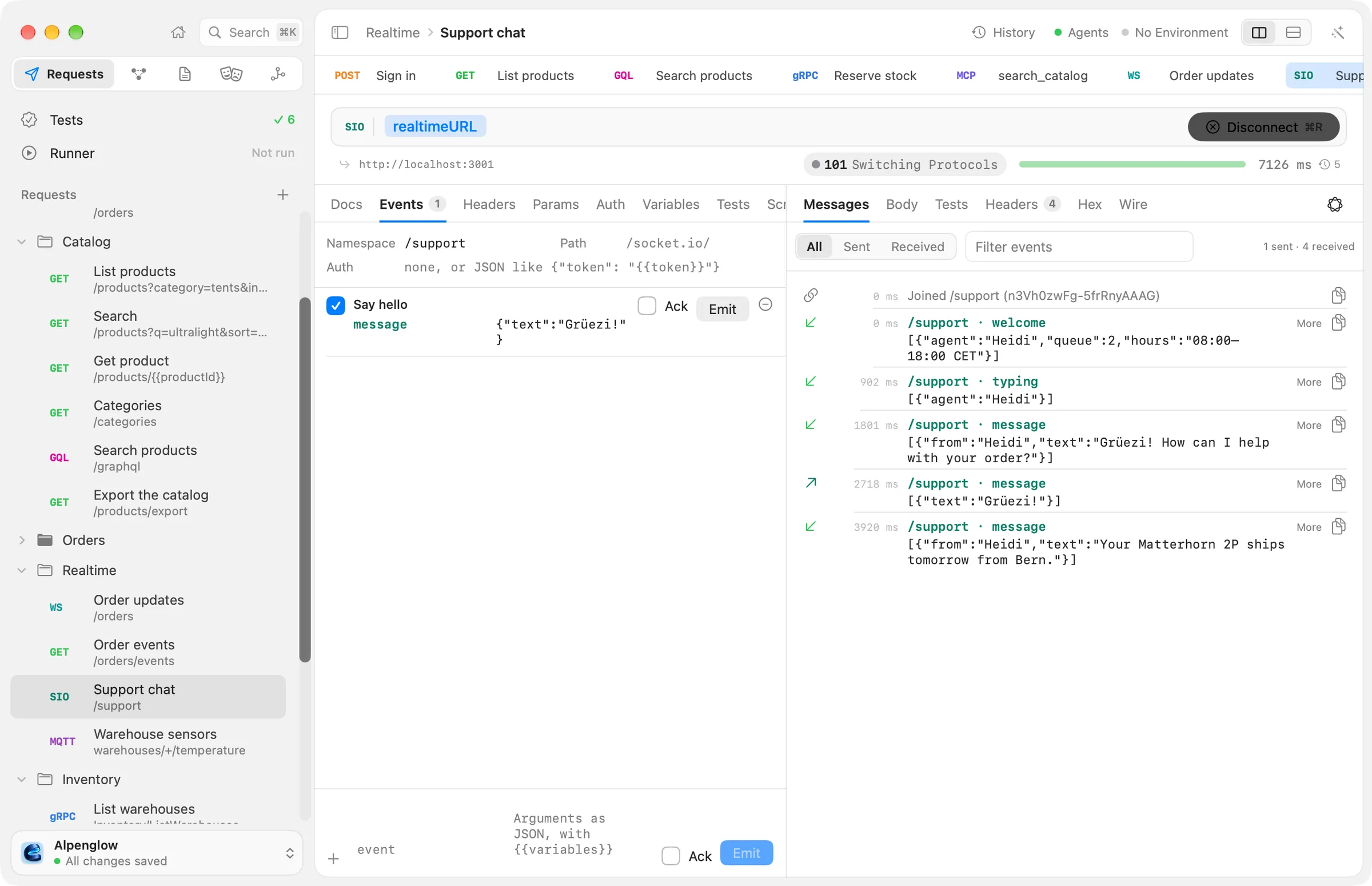
Realtime › Support chat connects to a local Socket.IO server on localhost:3001, from the docs repository's
examples/servers folder (bun run realtime).
Connect
- Choose File › New Socket.IO Request, or New Socket.IO Request from the + menu beside Requests in the sidebar.
- Type the server's address, such as
http://localhost:3001({{realtimeURL}}in Alpenglow).http://,https://,ws://andwss://all work. - Pick the server's version in the SIO badge's menu before the address: Socket.IO 4, Socket.IO 3 or Socket.IO 2.
- Choose Connect (⌘R). It reads Disconnect while connected.
The editor has these tabs: Docs, Events, Headers, Params, Auth, Variables, Tests, Scripts and Settings. Headers, query parameters and auth go with the WebSocket handshake.
Namespace, path and auth
The top of the Events tab sets how the client joins:
| Field | What it is |
|---|---|
| Namespace | The namespace to join, such as /support. Empty joins the address's path, or / |
| Path | Where the server listens. Empty means the default, /socket.io/ |
| Auth | The auth payload, a JSON object such as {"token": "{{token}}"}. Socket.IO 3 and 4 send it when joining the namespace. Empty for none |
Keep a token in a secret variable and write {{token}} in the payload, so the value never
lands in the request file. A server that refuses the connection answers with an error, which the log shows in red.
Emit events
At the bottom of the Events tab:
- Type the event's name, such as
message. - Type its arguments as JSON, with
{{variables}}. An array is several arguments; any other value is the only one. Leave it empty for none. - Tick Ack to ask the server to acknowledge the event.
- Choose Emit (⇧⌘↩).
For example, the event message with the arguments {"text": "Grüezi!"} sends one object, and
["order", {"id": "ord_7Hk2Lw"}] sends two arguments.
Choose + to save the event with the request. Each saved event has a name, the event, its arguments, Ack and its own Emit button. Emit in runs, the box at its start, decides whether it is emitted when the request runs without you: the runner, the command line and agents emit the enabled events in order after joining, listen for 10 seconds, then close. Support chat has one saved event, Say hello.
The event log
The response pane's Messages tab shows the session: every event both ways, newest last, with its time and size.
- Each line shows the event's name and namespace, and its acknowledgement id when it asked for one. An acknowledgement shows the id it answers.
- All, Sent and Received filter by direction; Filter events finds events by name or text.
- More pretty-prints JSON arguments.
- When the server sends an event that asks for an acknowledgement, Acknowledge answers it, with no arguments.
- Binary attachments that arrive with an event show under it, each as Attachment 1, Base64: ….
A Socket.IO packet takes at most 1000 attachments, of up to 64 MB together.
When the connection closes, the session is kept in History, with the log as the response body.
From the command line
echolot send --socketio connects from the terminal: each line you type is an event and its JSON arguments. It also
runs saved .sio.toml requests. See echolot send.