 Echolot
The guided tour
A one-minute tour of Echolot's window that lights one control at a time, offered on first launch and any time from the Help menu.
The tour shows where things live. It dims the window, lights one control at a time and puts a card beside it that says what the control is for. It takes about a minute.
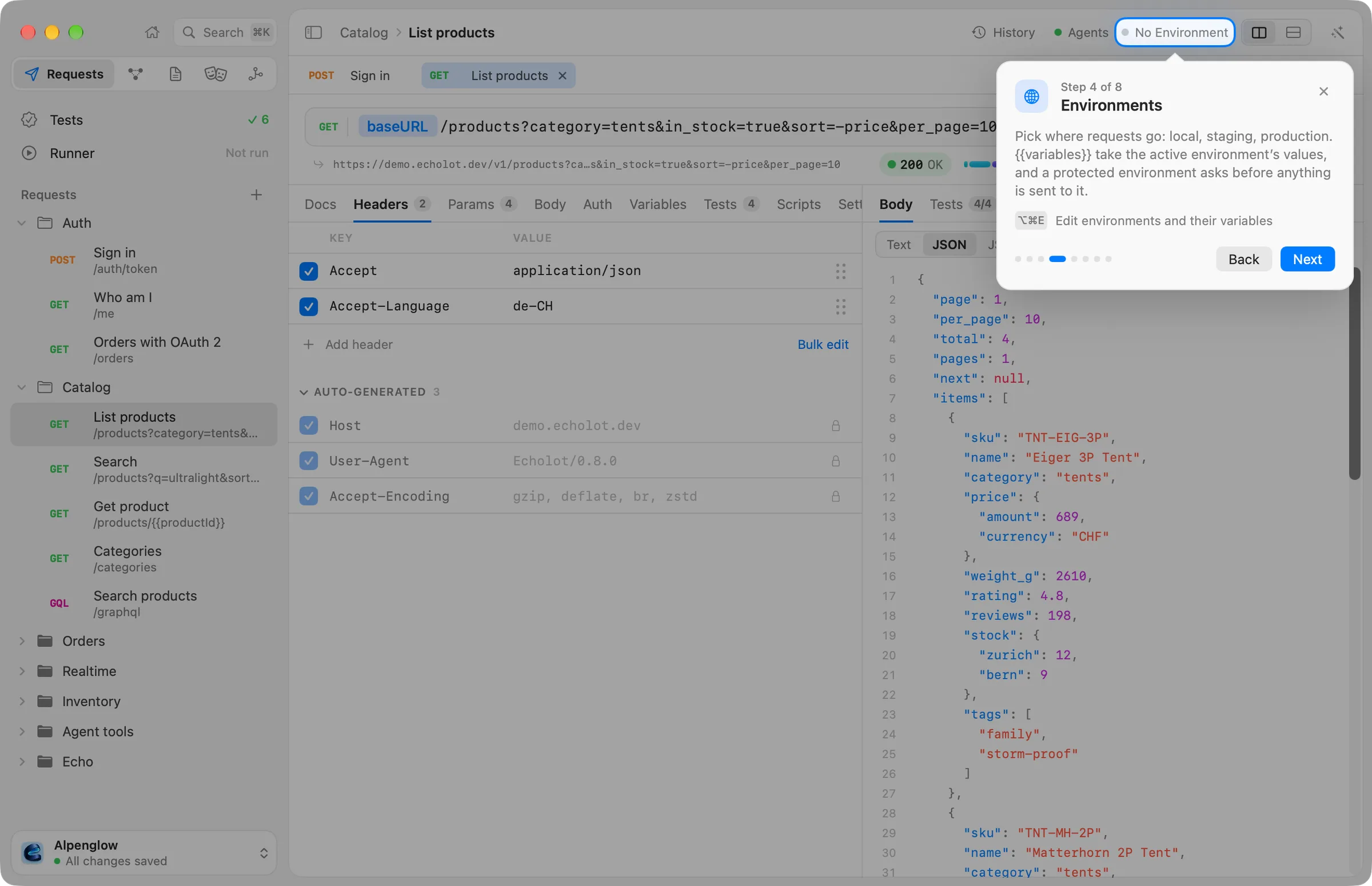
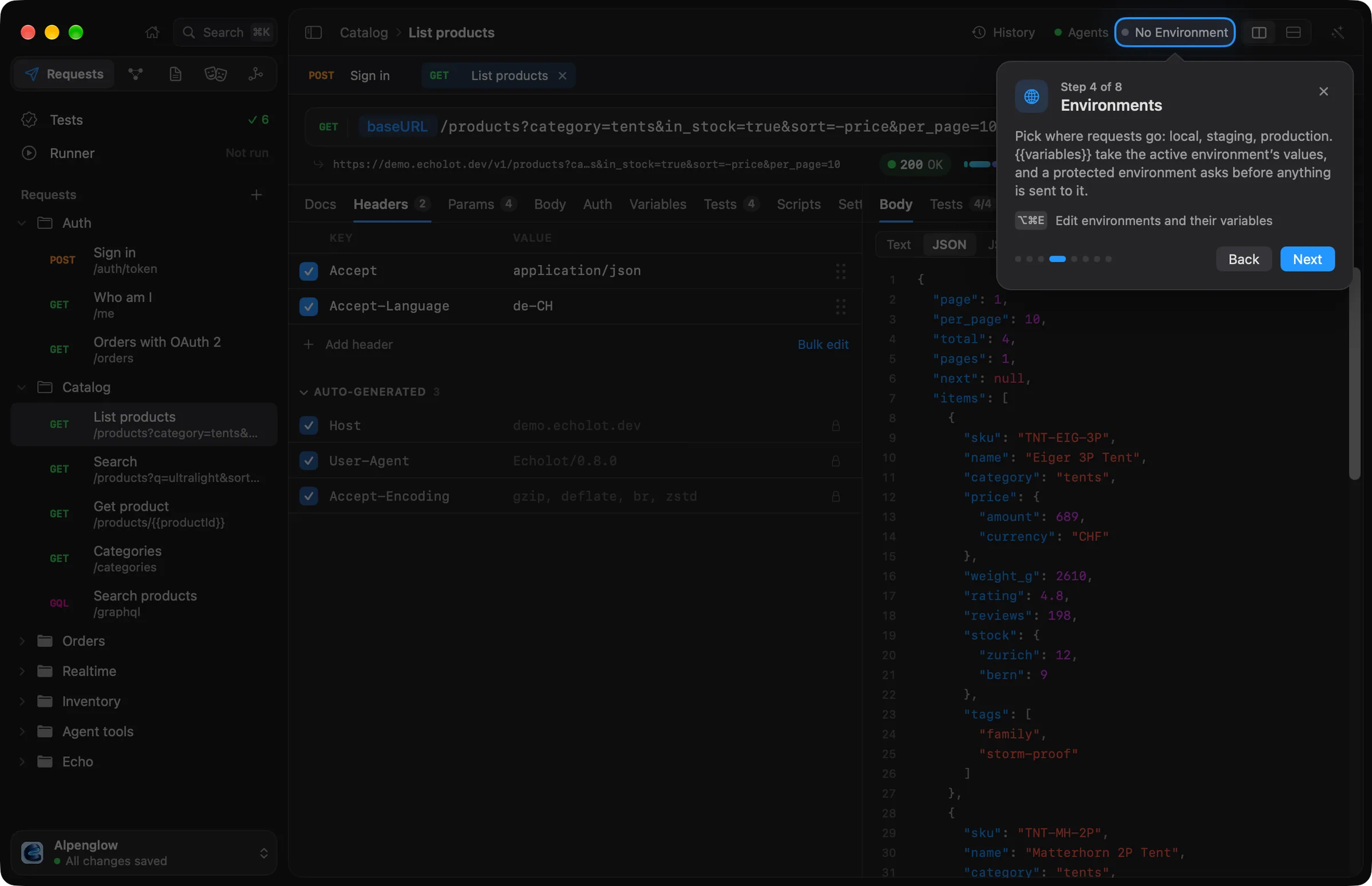
Start the tour
Echolot offers the tour once, when the first workspace window of a new installation opens: a card asks Welcome to Echolot, with Show Me Around and Not Now. Not Now is remembered, and Echolot doesn't ask again. An installation that was already in use when the tour arrived isn't offered it.
To take the tour again, in any workspace window, choose Help › Show the Tour.
Move through it
Each card says Step 1 of 8, with dots for your place. Use:
| To | Do this |
|---|---|
| Go on | Click Next, or press ↩. |
| Go back | Click Back. |
| Leave | Click the close button, or press esc. |
The lit control still works, so you can try it. Clicks on the dimmed rest of the window do nothing until the tour ends. When it ends, the window goes back to the page and the module it showed before. With Reduce Motion on, the light fades instead of gliding.
The steps
- Five modules, one workspace. The module switcher: Requests, MCP Servers, Specs, Mocks and Flows, with ⌘1 to ⌘5. See The window.
- Your requests. The requests list: every request is a plain file in the workspace folder, ready for Git. + adds requests and folders or imports from Postman, Insomnia, OpenAPI or cURL.
- Tests and the Runner. The two rows above the list. See Scripts and tests and The runner.
- Environments. The environment menu in the page header. See Environments.
- Find anything. The search field, ⌘K: requests, environments, actions and the bodies of past responses.
- Flows. The window switches to Flows and lights its tab. See Flows.
- Ask the Assistant. The wand in the page header, ⌘J, with three example questions. Click one to end the tour and leave it in the Assistant, ready to send. See The Assistant.
- Meet Echo. The status screen in the middle of the page header. When Echo is off on this Mac, the card offers to turn it on. See Echo.
The last card, You’re all set, lists five keys worth knowing: ⌘K searches everything, ⌘N makes a new request, ⌘R sends the open request, ⌘J shows or hides the Assistant, and ⌘1–5 switch modules. It also says where to find the tour again. All of them are in Keyboard shortcuts.