 Echolot
Design spec-first and mock it
Bring in or design an OpenAPI spec, lint it, serve a mock of it, send requests to the mock and check real responses against the spec.
Spec-first means the OpenAPI document comes before the code: you agree on the API, try it against a mock, and check the real server against the same document once it exists. In this tutorial you add the Alpenglow shop's spec to a workspace, design an endpoint the shop doesn't have yet, serve both from a mock on your Mac, and check the real API's answers against the spec.
- Time: 20 minutes.
- You need: Echolot and a workspace, such as the one from Your first workspace or a new empty one.
- You learn: the Specs page, lint, requests that follow a spec, mocks, and the OpenAPI spec check.
1. Add the spec
The demo shop publishes its spec at https://demo.echolot.dev/openapi.yaml.
-
Save it to your Mac. In Terminal:
curl -o ~/Downloads/openapi.yaml https://demo.echolot.dev/openapi.yamlOr open the address in Safari and choose File › Save As….
-
In the workspace window, switch to Specs (⌘3).
-
Choose Add Spec File… (on the empty page, or in the sidebar's + menu) and pick
openapi.yaml. A copy goes into the workspace'sspecsfolder.
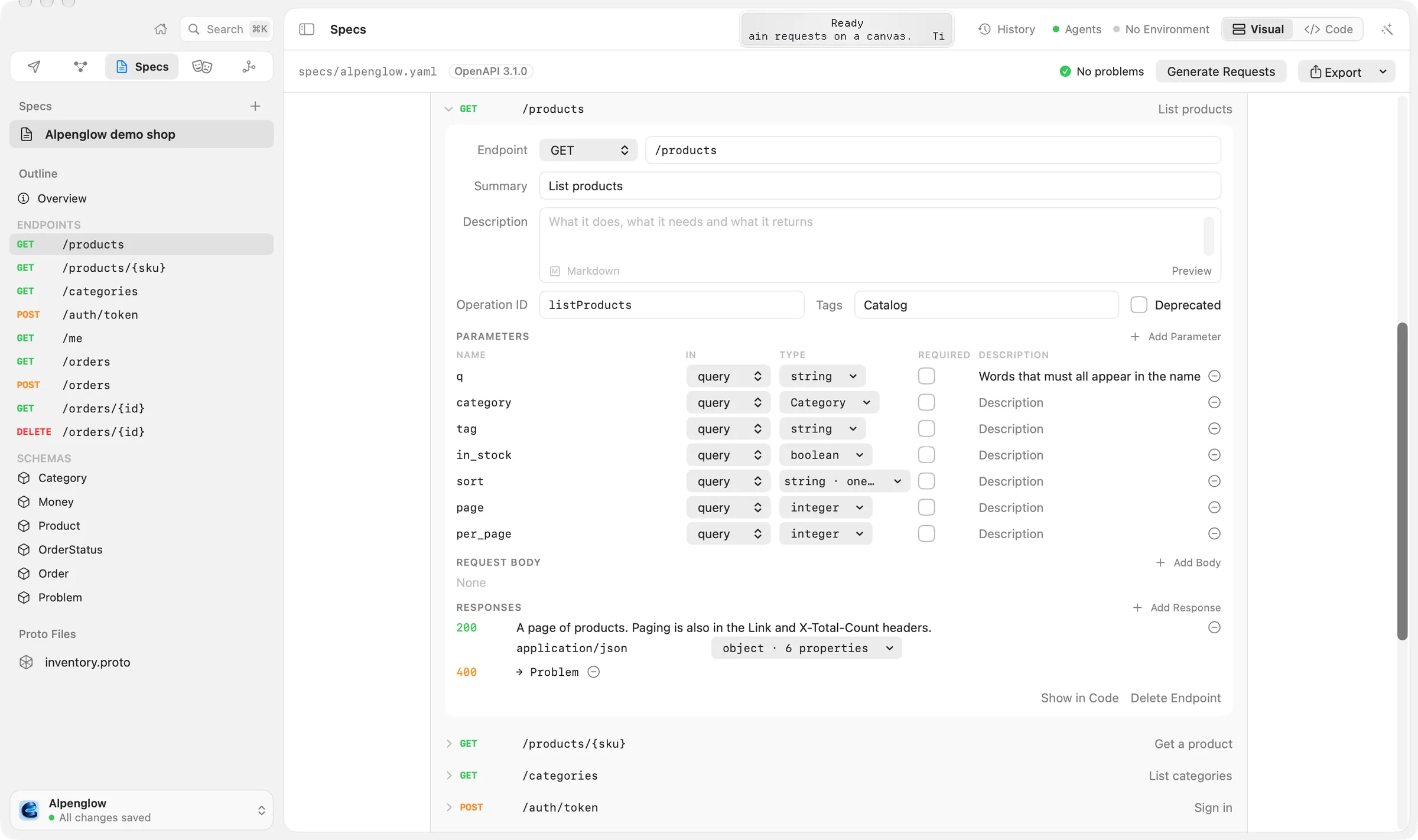
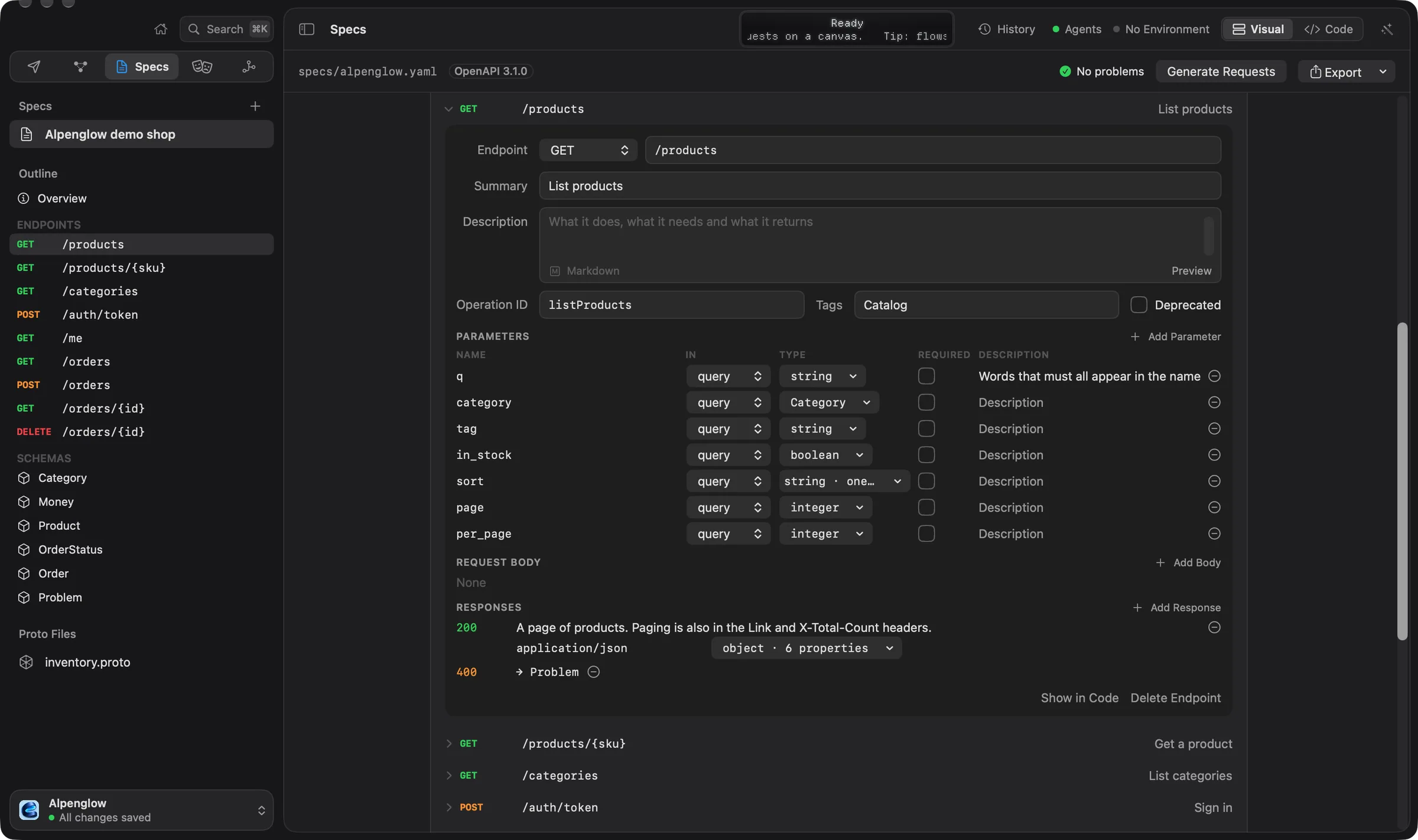
The spec opens in the Visual editor: its servers, its endpoints grouped by path or tag, and its schemas. The toolbar's switch goes between Visual and Code. Both edit the same text, and the text is what is saved.
Starting from nothing
Choose New Spec instead. You get an OpenAPI 3.1 document titled New API with one endpoint, GET /items, to
rename and build on. The rest of this tutorial works the same way.
2. Design an endpoint the shop doesn't have
The shop wants a list of its stores. Design it before anyone writes it.
-
In the Visual editor, choose Add Endpoint.
-
In New Endpoint, leave Method on GET, type the path
/stores, the summaryList stores, and the tagCatalog. Choose Add Endpoint. Echolot adds the operation with a200response to start from. -
In the endpoint's editor, set Operation ID to
listStores. -
Choose Show in Code. Replace the endpoint's
responseswith a body and an example:responses: '200': description: The shop's stores. content: application/json: schema: type: array items: type: object required: [id, city] properties: id: { type: string } city: { type: string } address: { type: string } example: - { id: zrh, city: Zürich, address: Bahnhofstrasse 1 } - { id: brn, city: Bern, address: Spitalgasse 4 }
Edits are saved as you make them, and ⌘Z undoes them. Visual edits change only the lines of the entry you touch, so the rest of the file, comments included, stays as you wrote it. More in editing specs.
3. Lint the spec
The toolbar's problems button shows a green check and No problems, or a count of errors and warnings.
- Choose it. The Problems popover says the document follows the OpenAPI specification and every reference resolves.
- Break something to see a problem: in Code, change
$ref: '#/components/schemas/Product'on one line to'#/components/schemas/Produkt'. The button turns red. Choose it and pick the problem: the editor jumps to its line. - Undo the change (⌘Z).
The same lint runs in CI with the command-line tool. --strict fails on warnings too, and --hints adds advice such
as missing operation IDs:
echolot spec lint specs/openapi.yaml --strict4. Make requests that follow the spec
- In the Specs toolbar, choose Generate Requests. A folder Alpenglow demo shop appears under Requests, with a folder per tag (Catalog, Auth, Orders) and a request for every endpoint, List stores included.
- Look at Catalog › List products. Its URL is
{{baseUrl}}/products. Its Tests tab already has two checks from the spec: Status equals200, and a JSON Schema of the documented body.
The folder follows the spec. When the spec changes later, the Specs toolbar's Requests menu offers Check "Alpenglow demo shop" for Changes…: it lists what is new, changed and gone in the spec and applies it without overwriting your own edits to the requests. See OpenAPI sync.
The generated requests start with {{baseUrl}} (lowercase rl). You give it a value in the next two steps.
5. Serve a mock of the spec
- Switch to Mocks (⌘4). Open the + menu and choose Mock of Alpenglow demo shop.
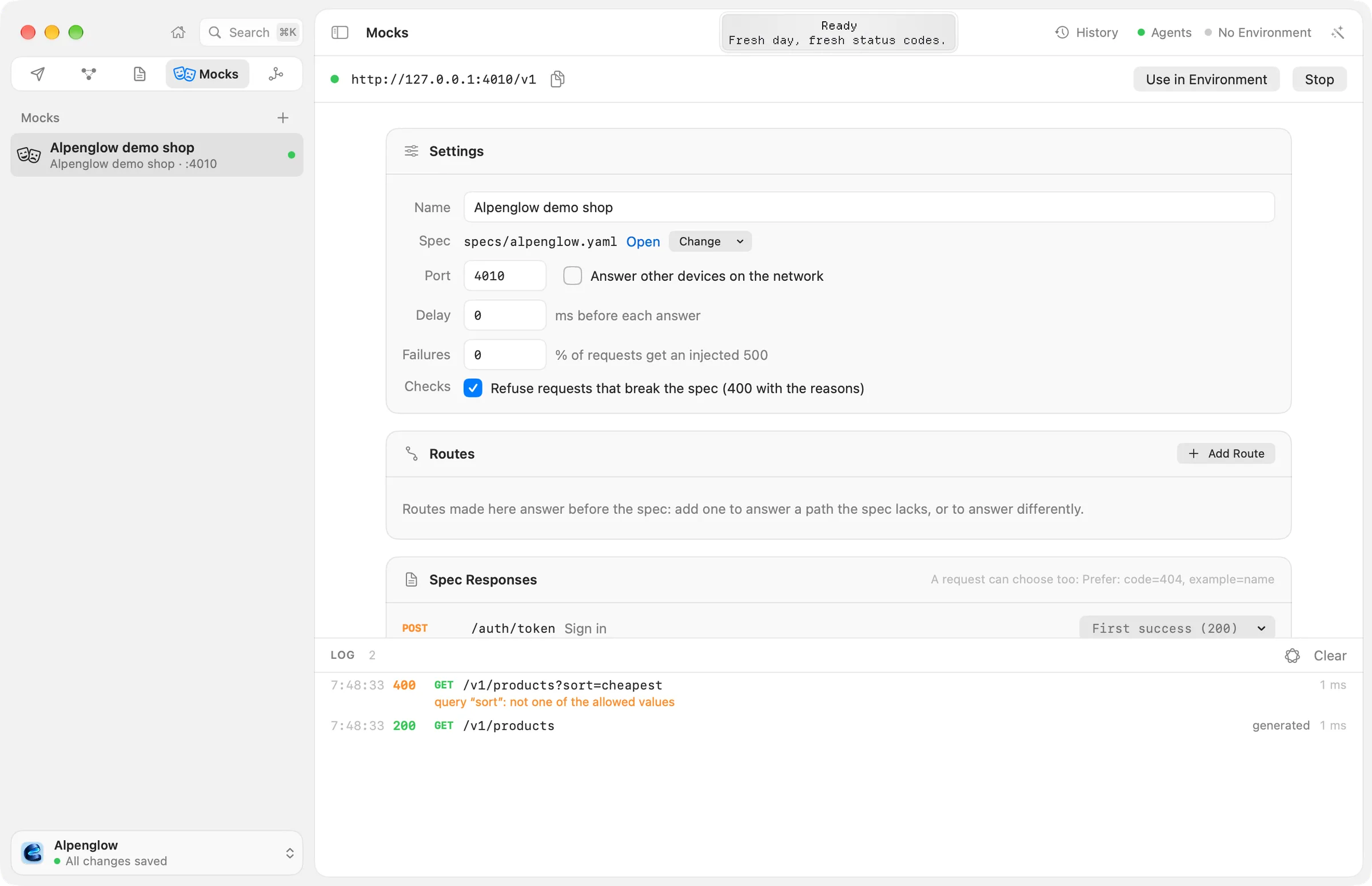
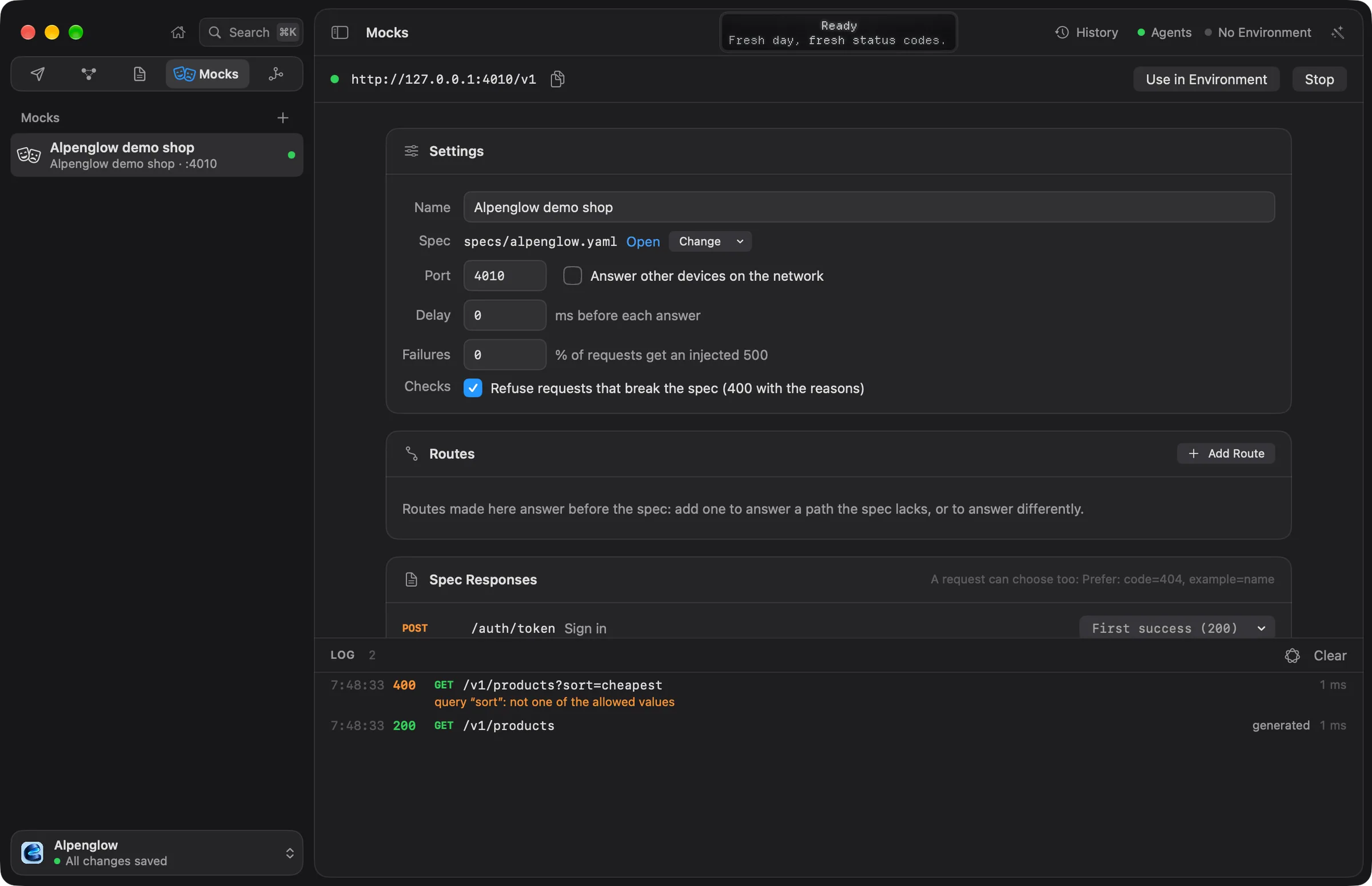
- Choose Start (⌘R). The toolbar shows a green dot and the address,
http://127.0.0.1:4010/v1: the first free port from 4010, and the base path from the spec's server. - Choose Use in Environment. Echolot makes an environment Mock: Alpenglow demo shop whose
{{baseUrl}}is the mock's address, and chooses it.
The Settings card holds the mock's Port, Answer other devices on the network, a Delay before each answer, a share of Failures (injected 500s), and Checks: Refuse requests that break the spec (400 with the reasons). The mock runs while the window is open.
6. Send requests to the mock
- Back in Requests, send Catalog › List stores. The mock answers
200with the two stores from your example. The Headers tab showsServer: Echolot mock. - Send Catalog › List products. The mock has no example for it, so it makes a body from the schema: the right shape with placeholder values. Both of the request's checks pass.
- In List products' Params, add
sortwith the valuecheapestand send. The mock refuses it:400withquery “sort”: not one of the allowed values. The spec allowsname,price,-priceandrating. Remove the parameter. - In Get a product, add the header
Prefer: code=404and send. The mock answers with the documented404problem instead. Remove the header.
The Mocks page's LOG lists every request the mock answered, with the operation it matched and any problem. In the Responses card you can make an operation answer with another documented status or example for every request. JavaScript routes for answers that need state are in scripted routes.
7. Check the real API against the spec
- On the Environments page, add an environment
Demowith a variablebaseUrlset tohttps://demo.echolot.dev/v1, and choose it in the page header. - Open List products, open Add Test in its Tests tab and choose OpenAPI spec. It has nothing to fill in: it checks the body against the schema the spec documents for the status that came back.
- Send it. All three checks pass: the real shop matches its spec.
- Send List stores. The real shop answers
404: the endpoint exists only in the spec. That is the point of spec-first: the mock lets you build against it now.
To run the same checks in CI, run the folder with echolot run, and serve the mock there with
echolot mock:
echolot mock specs/openapi.yaml --port 4010Next steps
- Specs from traffic: write a spec from requests you already send.
- Mocks: examples saved from history, delays, failures and sharing on the network.
echolot spec:checkfails CI when a folder is behind its spec.
Test an API and run it in CI
Add checks to requests, run them in the Runner, then run the same workspace with the command-line tool in GitHub Actions with a JUnit report.
Automate with a flow
Build a flow on the canvas that signs in, lists orders, decides and notifies you; run it, schedule it and start it from a webhook.