 Echolot
Routes and fake data
Make a mock's routes by hand, with JSON, XML or text responses, fake data that changes on every request, rules that choose a response, and requests made from the routes.
A route is a method and a path, and what the mock answers there. Make routes by hand when there is no spec yet, when you need a few endpoints to build or test against, or to answer a path differently from the spec. Bodies are written as they are sent, in JSON, XML or text, and can hold fake data that is made again on every request.
Routes made by hand answer after the mock's routes in JavaScript and before its spec's operations, if it serves a spec. See which response a request gets.
Making a route
On the Mocks page, make a mock with New Mock (it starts with a GET /users route of five fake
users), or open any mock. The Routes card lists its routes:
- The checkbox turns a route off without deleting it; a route that is off answers nothing.
- Click a route to edit it below the list.
- Add Route adds a new one after the selected route.
- Right-click a route for Duplicate, Create Request, Copy Address (while the mock runs), Move Up, Move Down and Delete Route.
Every change is saved at once, and a running mock answers with it at once. Edit › Undo takes back any change, deleting a route too. When two routes that are on have the same method and path, the card warns you: only the first one answers.
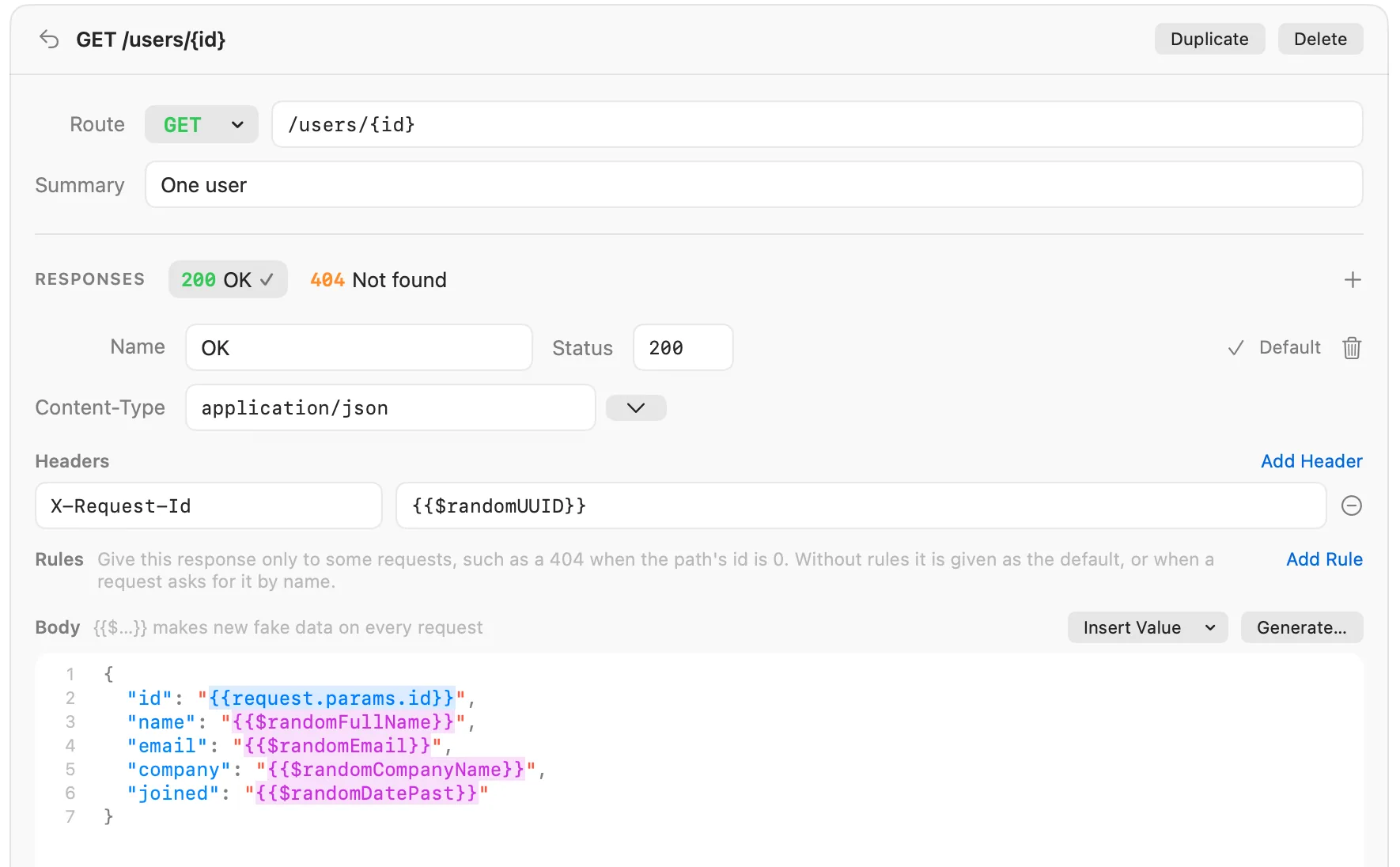
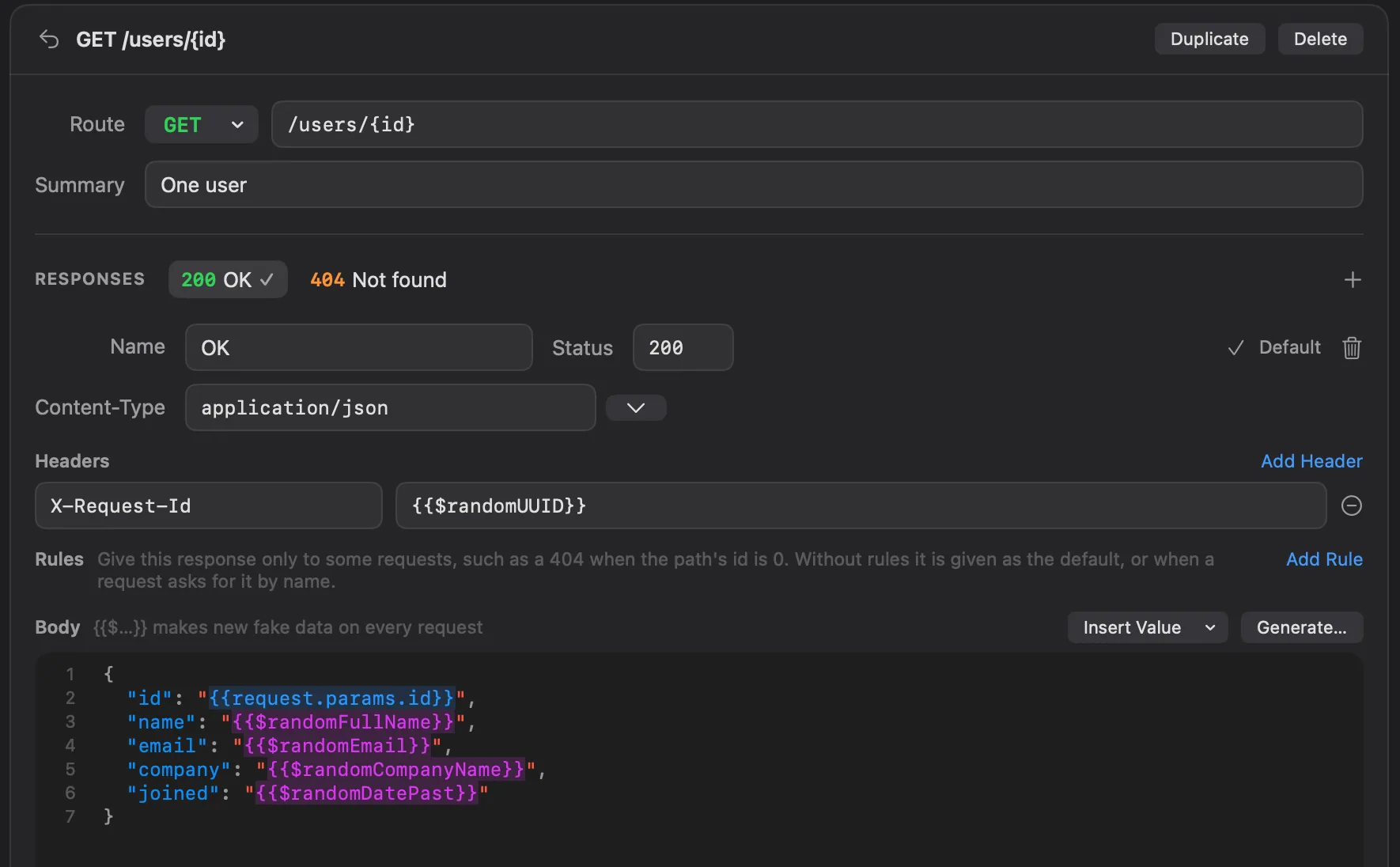
Method, path and summary
- Route: the method (GET, POST, PUT, PATCH, DELETE, HEAD, OPTIONS, or ANY for every
method) and the path. A
HEADrequest goes to a GET route, without the body. - Path parameters are written
{id}or:id, one per part of the path:/users/{id},/files/{name}.json.:idis saved as{id}. A route with a literal part wins over one with a parameter, so/users/meanswers before/users/{id}. - Summary says what the route is for. Requests made from the route take it as their name.
Responses
A route has one or more responses. The chips under RESPONSES switch between them; + adds one. Each response has:
| Field | What it is |
|---|---|
| Name | How requests and rules name it, such as OK or Not found. Names are unique within a route. |
| Status | The status code, from 100 to 999. |
| Content-Type | The Content-Type sent, such as application/json or application/xml; the menu beside it has the common types. Empty sends none. It also decides how values in the body are escaped. |
| Headers | Headers sent with it. Values can hold fake data and parts of the request, like the body. |
| Rules | When this response answers instead of the default. See choosing a response. |
| Body | What is sent, with line numbers and colours for JSON, XML and HTML. |
The response with a check mark is the route's Default; Make Default on another one changes it. The trash button deletes a response.
Choosing a response
A request to a route gets, in this order:
- The response it asks for: a
Prefer: example=Not foundorPrefer: code=404header, or Postman'sx-mock-response-nameandx-mock-response-codeheaders. - The first response whose rules all hold.
- The route's default: the response you made the default with Make Default, whatever its rules. On a route where you haven't chosen one, a first response whose rules didn't hold steps aside for the first response without rules, so "409 for the shipped order" listed first doesn't answer every other order.
A rule looks at one part of the request:
| Rule | Name | Example |
|---|---|---|
| Path parameter | The parameter in the path | id is 0 |
| Query parameter | The query parameter | page is * |
| Header | The header, in any case | X-Role is admin |
| Body field | A key path into a JSON body, with numbers for list items; empty for the whole body | user.plan is pro, items.0.sku is TNT-MH-2P |
The value is the text the part must have. * means any value, as long as there is one; an empty value means the part
must be missing. A response with several rules answers only when every one holds. A rule without a name is skipped
until you give it one.
For example, a GET /users/{id} route can answer 200 with a user by default, and a 404 response with the rule
Path parameter id is 0:
curl -i http://127.0.0.1:4010/users/42    # 200, the user
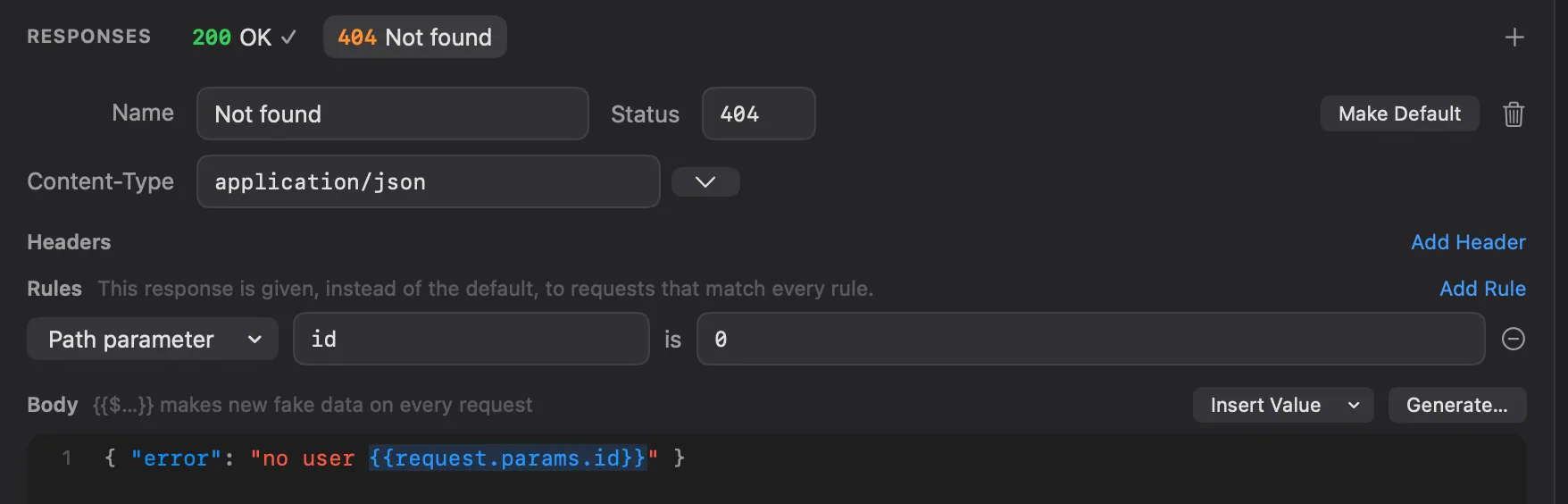
curl -i http://127.0.0.1:4010/users/0     # 404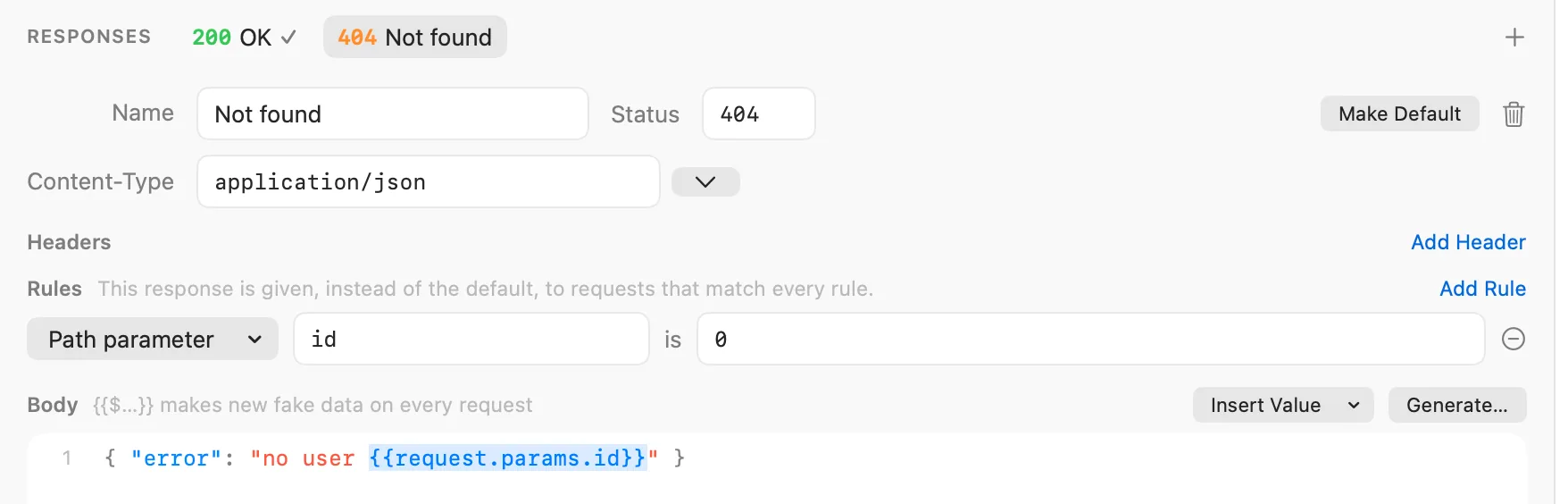
Bodies with fake data
Anything in {{ }} in a body or a header value is filled in when the request comes, so every request can get new
data. The rest of the body is sent as you wrote it.
{
  "id": "{{request.params.id}}",
  "name": "{{$randomFullName}}",
  "email": "{{$randomEmail}}",
  "company": "{{$randomCompanyName}}",
  "joined": "{{$randomDatePast}}"
}
Fake values
{{$randomFirstName}}, {{$randomEmail}}, {{$randomCity}}, {{$randomPrice}}, {{$randomUUID}} and about 120
others: names and jobs, internet, addresses, phone numbers, companies, finance, products, dates, words, lorem ipsum,
files, images and databases. The names are Postman's dynamic variables, so templates written for Postman work here.
Some take arguments: {{$randomInt(1, 100)}}, {{$randomPrice(5, 50)}}, {{$randomLoremWords(5)}},
{{$randomElement(active, paused, closed)}}. Dynamic values lists every
one.
Insert Value above the body puts a fake value where the cursor is: Fake Data has them by group.
The same values work in requests, where they are made on every send. See dynamic values.
Parts of the request
| Token | What it is |
|---|---|
{{request.params.id}} | A path parameter. |
{{request.query.page}} | A query parameter; empty when there is none. |
{{request.headers.X-Trace}} | A header, in any case. |
{{request.body.user.name}} | A field of a JSON body, by key path (items.0.sku for a list item). Text as it is; numbers, true, false, objects and lists as JSON. |
{{request.body}} | The whole body, as text. |
{{request.method}} | The method, such as POST. |
{{request.path}} | The path, such as /users/42. |
Insert Value › Request has them, with the route's own path parameters.
Lists
{{#repeat 10}} … {{/repeat}} writes what is between them that many times; {{#repeat 2 8}} a number of times
between the two, chosen on every request. In a JSON body the items are separated with commas for you. Inside, {{@number}}
is the item's number from 1 and {{@index}} from 0. Repeats can be inside repeats.
[
  {{#repeat 5}}
  {
    "id": {{@number}},
    "name": "{{$randomProductName}}",
    "price": {{$randomPrice}}
  }
  {{/repeat}}
]
A {{#repeat}} or {{/repeat}} alone on its line leaves no empty line behind.
Escaping
Values are escaped for where they land, so a name with a quote never breaks your JSON:
- In a JSON body (a
Content-Typewithjson), values inside a string are escaped as JSON. A value outside quotes, such as{{$randomInt}}or{{@number}}, goes in as it is. - In XML and HTML (a
Content-Typewithxmlorhtml),&,<,>and quotes are escaped everywhere. - Triple braces never escape:
{{{request.body}}}puts the request's JSON body in as JSON.
{ "received": {{{request.body}}}, "at": "{{$isoTimestamp}}" }Tokens Echolot doesn't know stay as you wrote them. A value it can't make, such as {{$randomInt(9, 1)}}, stays as
written too, and the log says why. A body stops at 16 MB and a repeat at 10,000 items.
Bodies read nothing else: no variables, environments, secrets or files of the workspace, so a mock answering on the network can't give any of them away.
Fixed data: Generate
Values in {{ }} give new data on every request. To answer with the same data every time, click Generate… above
the body:
- With Make a list: the body is one item, the body becomes a JSON list of that many Items, each made from the body.
- Without it, the body's values are filled in once.
Generate replaces the body with the result; Edit › Undo brings the template back. From Terminal,
echolot fake does the same.
Requests from routes
Create Requests in the Routes card makes a folder named after the mock with a request for every route that is on; Create Request in a route's context menu makes one for that route. Echolot opens the first request.
- The folder has a variable
baseUrlset to the mock's address, and every URL starts with it:{{baseUrl}}/users/{{id}}. PointbaseUrlat the real API later and the same requests go there. - Path parameters become request variables,
1unless a path rule of the default response names a value. - The request is named after the route's summary.
- The route's request body goes with it.
The request body of a route
Request body, at the bottom of a route, holds a body and its Content-Type for the requests made from the
route, such as the JSON a POST /users takes. It doesn't change what the mock answers; rules on body fields read what
requests really send.
With agents
With the Mocks toolset on, agents and the Assistant make routes too. Ask for what you need:
- "Make a mock with routes for listing, reading and creating orders, with fake data, and start it."
- "Add a 404 to
GET /users/{id}when the id is 0." - "Make requests for the mock's routes."
They use create_mock (with a name and routes, no spec needed), save_mock_route, delete_mock_route,
generate_fake_data, list_fake_values and create_requests_from_mock. save_mock_route can also turn a response
from History into a route; what it copies is masked like everything agents read. An
agent deleting a route asks you first. See Agents.
In the workspace
Routes live in the mock's file, mocks/<name>.toml, as [[routes]] with their [[routes.responses]]: readable in a
diff and shared through Git. See workspace files.